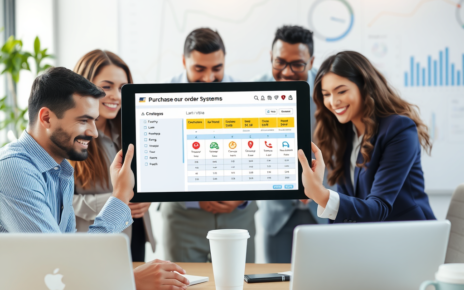


Setting up a purchase ordering system is crucial for effective inventory management and efficient procurement processes. With a growing number of businesses transitioning to digital processes, cloud-based purchase order systems have become highly popular. This guide will walk you through setting up your first purchase ordering system using purchase ordering software.
Understanding Purchase Order Systems
A purchase order system (PO system) is an integral part of a company’s procurement process. It provides a systematic way for organisations to request and authorise purchases. The key functions of a PO system include tracking orders, managing inventory, and handling supplier communication. By implementing a PO system, businesses gain better control over their spending and enhance digital transformation within their organisation.
Why Cloud-Based Purchase Order Systems?
Cloud-based purchase order systems elevate traditional methods by providing greater flexibility and remote access. Unlike on-premise solutions, cloud-based systems are accessible from any location with internet connectivity, enabling businesses to manage purchase orders on the go. Additionally, cloud systems often offer automated updates, improved security, and integration with other digital tools, ensuring seamless data flow. Transitioning to a cloud-based purchase ordering system can ultimately lead to increased efficiency and reduced operational costs.
Selecting the Right Purchase Ordering Software
Before you start the set-up process, consider what features your business requires in purchase ordering software. When choosing software for purchase orders, assess the following criteria:
Getting Started with Your PO System Software
Once you have selected your preferred software for purchase orders, follow these steps to set up your system:
Step 1: Register and Set Up Your Account
Begin by creating an account with your chosen PO software provider. This usually involves providing essential information like your business name, address, and contact details. Registering for a cloud-based system will typically provide instant access, enabling you to start the configuration process immediately.
FAQ Section: Purchase Ordering System
What is a purchase ordering system?
A purchase ordering system is a digital solution that facilitates the creation, management, and tracking of purchase orders within an organisation. It streamlines the procurement process by allowing businesses to automate order placements, monitor stock levels, and manage vendor relationships efficiently.
How does a purchase ordering system work?
A purchase ordering system operates by enabling users to create purchase orders that specify details such as item descriptions, quantities, prices, and supplier information. Once generated, these orders can be sent electronically to vendors for approval and fulfillment. The system then tracks the status of each order until it is received and matched against inventory.
What are the benefits of using a purchase ordering system?
Using a purchase ordering system offers several benefits:
- Efficiency: Automates repetitive tasks such as order creation and tracking.
- Accuracy: Reduces human errors in data entry with standardised procedures.
- Transparency: Provides visibility into the procurement process for better decision-making.
- Cost Savings: Streamlines workflow which can lead to reduced operational costs.
- Vendor Management: Simplifies communication with suppliers through organised record keeping.
Who can benefit from implementing a purchase ordering system?
Organizations of all sizes—from small businesses to large enterprises—can benefit from implementing a purchase ordering system. Industries such as retail, manufacturing, healthcare, and hospitality often find this technology particularly valuable due to their high volume of transactions with multiple suppliers.
Can I integrate my existing systems with a new purchase ordering system?
Yes! Many modern purchasing systems offer integration options with existing software programs such as accounting solutions (like QuickBooks), inventory management systems or ERP platforms. Integration ensures seamless data flow between different business processes while minimising disruption during implementation.
Is training required when adopting a new purchase ordering system?
Training is often recommended when adopting any new software tool including a purchasing order management solution. This ensures users understand how to effectively navigate the platform while maximising its features. Many providers offer onboarding support or user documentation for training purposes.
How secure is my data in an online purchasing order management solution?
Security measures vary by provider but most reputable online purchasing order systems employ industry-standard security protocols including encryption during data transmission and secure storage methods for sensitive information. It’s advisable to evaluate vendors based on their security practices before making a selection.
What features should I look for in an ideal purchase ordering system?
When selecting a suitable solution consider looking for these key features:
- User-friendly interface
- Customizable templates
- Real-time tracking capabilities
- Vendor management functionalities
- Reporting & analytics tools
- Compliance support
By assessing your specific needs against available options you’ll ensure that you invest in technology that meets your organisation’s goals effectively!
Step 2: Configure User Roles and Permissions
Next, define the users within your organisation who will access the PO system. Assign roles and permissions based on individual responsibilities. For example, some users may have the authority to create purchase orders, while others may only have permission to view them. This will help maintain control and oversight of the purchasing process.
Step 3: Set Up Vendor Information
Every purchase order needs to include accurate vendor details. Input your suppliers’ contact information into the system, including their names, addresses, and payment terms. Many software solutions allow you to upload relevant documents such as contracts and agreements, simplifying vendor management.
Step 4: Create Purchase Order Templates
Custom templates are essential for standardising your purchase orders. Using the PO software, create templates that reflect your brand, including logos and preferred formats. This not only streamlines the process but also ensures uniformity across departments.
Implementing an efficient purchase ordering system is vital for streamlining procurement processes and enhancing overall operational efficiency. Businesses can greatly benefit from automated purchasing workflows that reduce errors and save time. By utilizing a well-structured system, companies can improve vendor management and track orders seamlessly. Consider optimizing your operations with a robust solution. Learn how to elevate your purchasing strategy by exploring our purchase ordering system.
Step 5: Establish Approval Workflows
Setting up approval workflows is crucial for an effective purchase ordering process. Define the sequence of approval required for various purchase amounts. For instance, smaller purchases may only need manager approval, while larger amounts might require approval from a higher executive. Configuring approval paths ensures that purchases are validated before proceeding, reducing the risk of unnecessary spending.
Step 6: Train Your Team
Once the system is configured, it is essential to train your team on how to use the PO software effectively. Organise training sessions or provide tutorials so that employees understand how to create, submit, and approve purchase orders. Emphasise the importance of accurate data entry to maintain the integrity of the purchase ordering system.
A robust purchase ordering system can streamline your procurement process, ensuring efficiency and accuracy. By implementing an effective solution, businesses can reduce costs and enhance supplier relationships. Explore how to transform your purchasing operations with innovative tools by visiting https://cloudb2b.co.uk/ today!
Step 7: Test the System
Before fully committing to the new PO system, conduct a testing phase. This allows you to simulate real transactions without facing the repercussions of any potential errors. Encourage users to utilise the system, creating purchase orders and running approvals to identify any issues and optimise your workflows.
Step 8: Monitor and Optimise
After successfully implementing your purchase ordering software, monitor its performance regularly. Collect feedback from users and identify areas for improvement. Many cloud-based PO systems provide analytics that can offer insights into purchasing trends, allowing for further optimisation of your procurement process.
By following these steps, you will be well on your way to setting up your first purchase ordering system. The right software for purchase orders will enhance your operational efficiency, improve vendor relationships, and contribute to the overall success of your organisation’s procurement strategy.